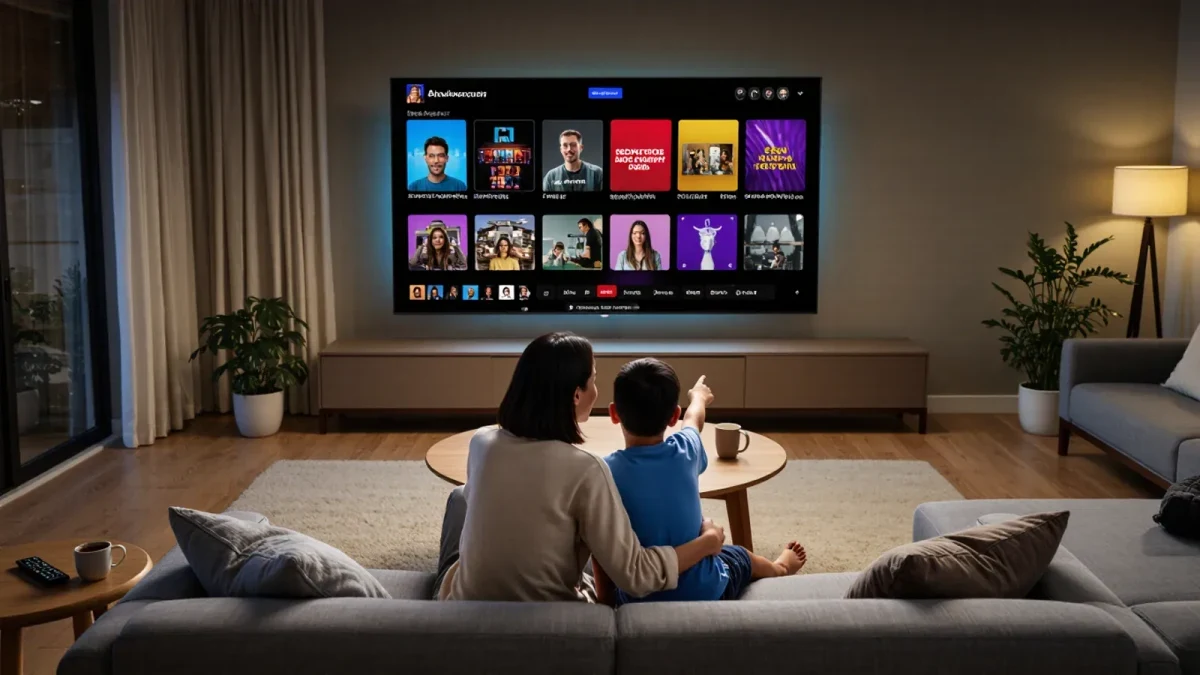
Set up one household account with a separate profile per person, kids' profiles locked to age-appropriate content, and purchases behind a PIN. The major streaming services all support some version of this. The oversight logic comes from the Children's Online Privacy Protection Act, the federal law enforced by the Federal Trade Commission that governs children's data on commercial services; the practical work is a one-evening setup that most families never quite finish. This guide is that evening.
Why does each person need their own profile?
Profiles are the quiet workhorse of family streaming. They keep each person's recommendations clean, so a toddler's profile is not warped by a parent's crime dramas, and they let kids' profiles run a filtered catalog while adult profiles stay unrestricted. Continue-watching lists stay honest, watch histories stay attributable, and when a rule is broken, you know whose profile it happened in. None of this requires separate paid accounts: one subscription, many profiles, is the standard model on major platforms.
The profile also marks the boundary a child can eventually graduate from. Moving from a kids' profile to a full one, with eyes open and rules attached, is a better rite of passage than a child quietly discovering a parent's profile was never locked.
What should you lock down first?
Work through the account in this order, and the sequence matters less than finishing it:
- Create a profile per person, mark the children's as kids' or restricted profiles, and set maturity ratings per child.
- Set a profile or purchase PIN so a child cannot enter an adult profile or rent and buy without it. This is the single most missed step.
- Turn on purchase confirmation and disable one-click rentals on shared devices.
- Turn off autoplay next episode on kids' profiles where the option exists; it removes one whole category of lost evenings.
- Check the watch history monthly on kids' profiles. It is the honest record of what the settings actually allowed.
None of these steps protects anything on its own.
Do the setup with your children watching, at least the parts that concern them. A child who has seen the kids' profile created, the rating set, and the PIN explained understands the system as an agreement rather than a mystery to be defeated, and children as young as five grasp that different profiles hold different worlds. The twenty minutes of narrating the setup saves months of enforcement. Ten minutes a month of maintenance saves far more.
Together they turn a shared subscription from an open door into a building with a lockable front door and windows that close.How do kids' profiles differ across services?
Broadly, along two dimensions: how the catalog is filtered and how much a parent can tune. The general pattern:
| Feature | Typical behavior on major services |
|---|---|
| Catalog filtering | Kids' profiles show only content rated within a chosen maturity band |
| Rating control | Some services let you set a specific maximum rating; others use fixed kids' modes |
| Purchase locks | PIN protection is available on nearly all paid platforms, off by default |
| Ads | Ad-supported tiers exist on several services; ad content on kids' profiles is restricted but not always eliminated |
| Profile age gates | Full profiles typically presume a teen-or-older user; enforcement relies on the parent |
Services change these settings constantly, so read the current help page for your platform rather than a guide, including this one. The durable principle is: verify what a kids' profile actually filters by browsing it yourself once a quarter.
When should a child get a full profile?
When they have demonstrated handling the kids' profile's rules, and usually a year or two before they ask. Around ten to twelve, many children start bumping into the kids' catalog's ceiling, and a rigid wall produces workarounds: a friend's account, a shared password, a borrowed profile. Better to grant a full profile with explicit terms, no purchases, agreed shows, open watch history, than to force the conversation underground.
State the terms in writing, even three lines on the fridge. The agreement is doing double duty: it governs the streaming account today, and it is the rehearsal for the phone contract, the social media agreement, and every future negotiation where your child's digital life grows past your direct oversight.
What about passwords and logins on shared devices?
Keep the account password to yourself on family devices, and enter it for children rather than teaching it, so profile switching stays a supervised act on the family television and tablets. On a tween's personal device, logging in is reasonable; the equivalent of the house key, held with responsibilities attached. Change the password when a privilege is revoked, calmly, without drama: access is a condition, not a birthright, and the password is how a family enforces that quietly.
A word on sharing beyond the household. Every service's terms of use prohibit or restrict account sharing outside the home, and several major platforms began actively enforcing household limits in the mid-2020s. Letting a distant relative or a college student ride the family plan is a terms question, not a safety question, but it is also worth teaching children that terms of service are real agreements, because they will be clicking through them for the rest of their lives.
What is the monthly maintenance routine?
Ten minutes, once a month: scan kids' profiles' watch histories, confirm the PIN still works, check that a service update has not reset your maturity settings, and ask the children what they are watching lately. That last item is not surveillance; it is the conversation that makes the settings unnecessary over time. The technical wall protects a child while the judgment is being built, and the dinner-table talk is where the judgment gets built.
Services, laws, and enforcement all shift; this is information, not legal advice, and your family's exact configuration is your call. But the skeleton holds: one account, one profile per person, kids' profiles locked, purchases behind a PIN, and a written agreement when the full profile arrives. An evening of setup buys years of not thinking about it.