Yes, a screen-free bedroom genuinely helps sleep: the American Academy of Pediatrics recommends keeping screens out of children's bedrooms entirely, and the CDC advises removing electronic devices from the bedroom as a core sleep-hygiene step. Light and engagement both delay sleep, and a device within arm's reach loses to temptation most nights. The fix is not willpower — it is design. This guide covers where devices charge, what replaces them, and how to convert a bedroom back to a sleep-first room.
Why does the bedroom screen matter so much?
Two mechanisms do the damage. First, evening light from screens pushes back the body's production of melatonin, the hormone that signals it is night; research summarized by the National Institutes of Health links evening screen exposure with later sleep onset and shorter sleep, especially in school-age children and teens. Second, engagement — a video that autoplays, a chat that pings — keeps the brain in a waking loop even with the lights off. A screen in the bedroom means both mechanisms operate exactly when the body should be winding down.
Where should devices charge instead?
Pick one charging station outside every bedroom — a kitchen counter, a hallway shelf, a living-room drawer — and make it the family default, parents included. The station works when it is boring, consistent, and has enough cables. Key rules that make it stick:
- Devices go to the station at a fixed time, not at bedtime; an hour of buffer before lights-out is the common expert recommendation.
- Phones and tablets charge overnight, so morning routines start away from feeds.
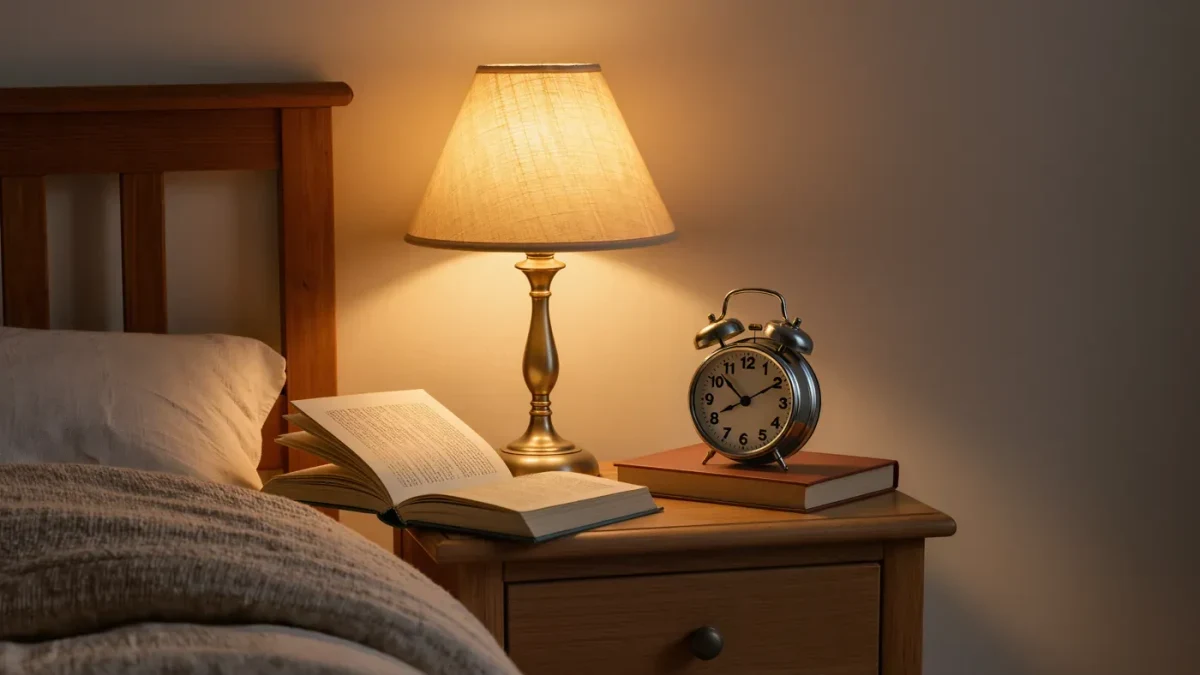
- A simple alarm clock replaces the phone alarm — this single swap removes the most common excuse for keeping a phone at the bedside.
- Parents follow the same rule visibly; a child's compliance tracks the adults'.
What does a sleep-friendly bedroom actually look like?
Think dark, cool, quiet, and boring in the best sense. Blackout curtains or decent blinds keep early summer sun from ending sleep at 5 a.m. The room should be comfortably cool rather than warm. A small reading light with a warm-toned bulb lets bedtime reading happen without overhead glare. Storage matters more than decoration: a visible pile of half-finished games and chargers invites negotiation. Give everything a drawer. The room's only job at night is sleep, and the space should say so.
What about TVs and consoles in the bedroom?
The same logic applies with extra force. A television is the original bedroom screen problem, and a game console adds a controller that "one more level" was designed for. If a TV currently lives in the bedroom, move it during the redesign rather than debating nightly use — a screen that must be carried in each time gets carried in rarely. Older children who argue for a console in their room can be offered a better setup in the shared space instead: their profile, their save files, their choice of chair. What they lose in privacy they usually gain in screen size, and the boundary between day-use and sleep space stays clean. Families report the move is contested for about a week and forgotten by the second.
What goes on the nightstand instead?
Keep the surface nearly empty on purpose. A short stack of paper books the child chose, the alarm clock, a small water cup, and the reading lamp cover almost every real need. A notebook and pencil work well for children whose minds race at bedtime — worries and to-do lists move onto paper instead of looping. Nightlights are fine if wanted; pick a warm, dim one rather than a bright cool-white model. The test of a finished nightstand is simple: nothing on it can start playing a video.
What replaces the bedtime screen?
The screen usually filled one of three roles — wind-down entertainment, white noise, or a sleep cue — and each has an analog replacement. For wind-down, books on paper, audiobooks on a speaker that plays nothing else, or a bedtime podcast set to a sleep timer. For white noise, a dedicated sound machine costs less than a month of lost sleep and removes the excuse to keep a tablet plugged in. For the sleep cue, a consistent order of events — bath, pajamas, book, lights out — does the work a video used to do, with more reliability. Let the child pick the book and the sound; ownership reduces resistance.
How do you take the screen out without a fight?
Announce the change as a room redesign, not a confiscation, and give it a date. Let the child help choose the reading light, the alarm clock, and the sound machine so the new setup feels like an upgrade rather than a loss. Move the charging station the same week the new gear arrives. Expect two rough nights and say so in advance: "the first nights will feel weird, that's normal." If a teenager needs a phone as an alarm, hand them a clock anyway — the argument is almost never about the alarm.
What about teens who do homework in their room?
Homework on a laptop in the bedroom is workable if the device leaves at a fixed time, the same rule as phones. Where it breaks down is the all-in-one device that flips from essay to video in one tab. Practical middle grounds: homework finished by a set hour, the laptop charging in the family space overnight, and phones parked at the station regardless. Teens are physiologically the most sleep-deprived group in the house, so the payoff for them is the largest — even if the negotiation is the hardest.
When is poor sleep worth a doctor's visit?
A screen-free room improves sleep hygiene, but it does not treat everything. Loud snoring, long trouble falling asleep despite a calm routine, or daytime exhaustion that persists after a few consistent weeks deserve a conversation with your pediatrician. Those can signal issues that no room redesign fixes. For most families, though, the sequence is simple: devices out, darkness in, a book and a clock.